Flee to Allah
The Flee to Allah app icon: a gold eight-pointed star on lapis

Flee to Allah

Daily Muhasabah

A gentle account of each day: resolutions made with In sha Allah, Astaghfirullah and a good deed when you fall short, Alhamdulillah and a treat when you keep one, a tasbeeh to hold, and each night a few quiet minutes with your day.

Coming to the App Store, for iPhone

  • No account
  • No ads
  • No tracking
  • One payment, no subscription
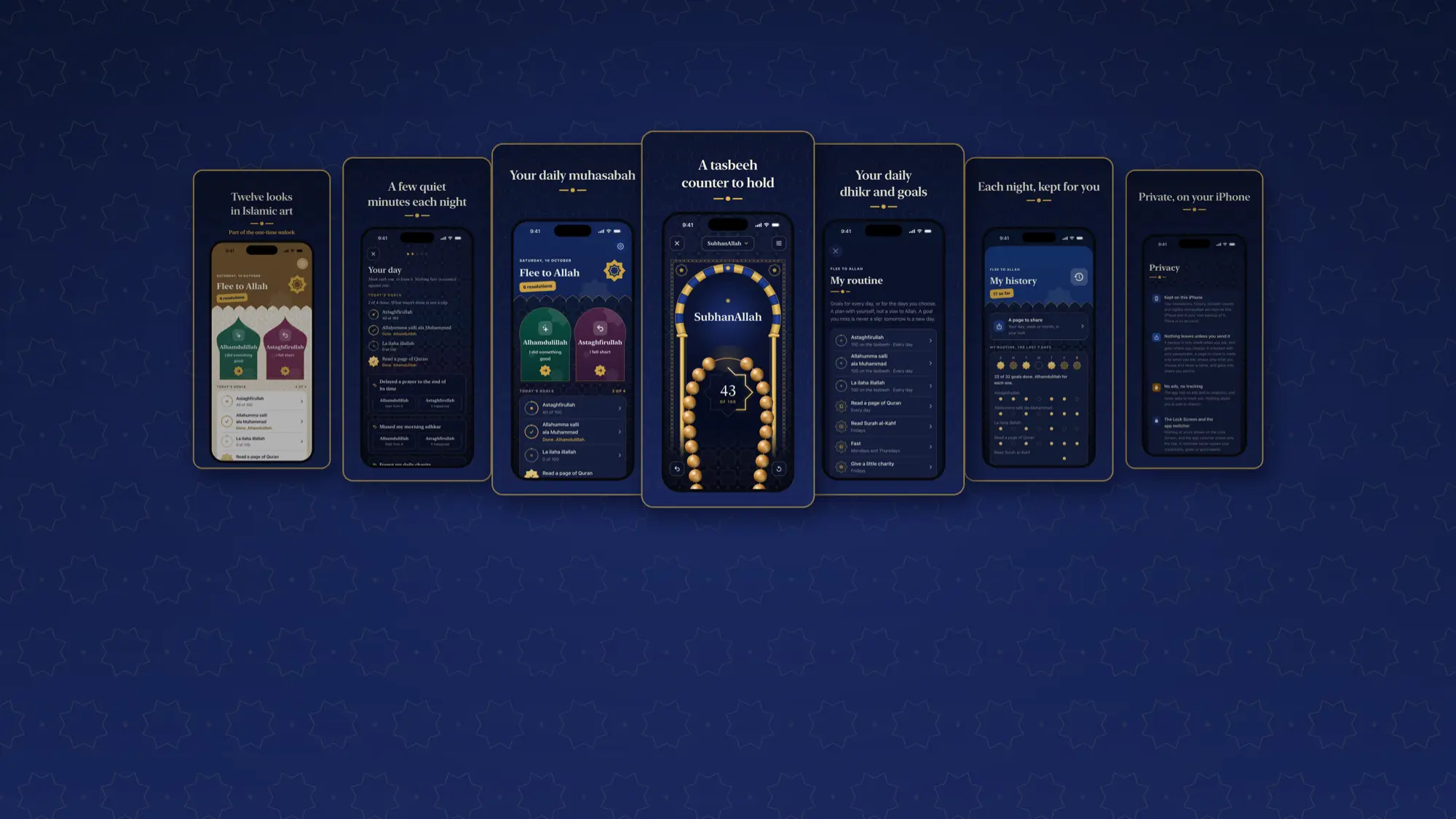
Seven screens of Flee to Allah in lapis and gold: twelve looks, tonight's muhasabah, Home, the tasbeeh, the routine, history and privacy

Muhasabah

Taking account of yourself, one day at a time

A private, one-person app. Make your resolutions on a calm day, with In sha Allah: a plan with yourself, not a vow. When you fall short, say Astaghfirullah and choose a good deed from your own list. When you keep a good habit, say Alhamdulillah and enjoy a treat you chose.

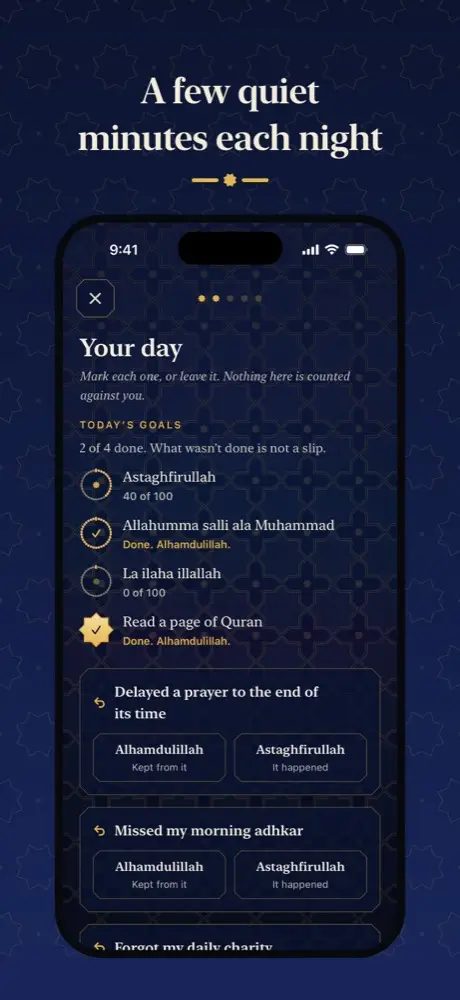
Tonight's muhasabah: today's goals marked, and where you fell short

I

Tonight's muhasabah

A few quiet minutes each night. Mark each resolution kept or missed, think on where you fell short and anyone to put things right with, and write up to three things you are grateful for.

A gentle reminder at a time you choose, if you want one.

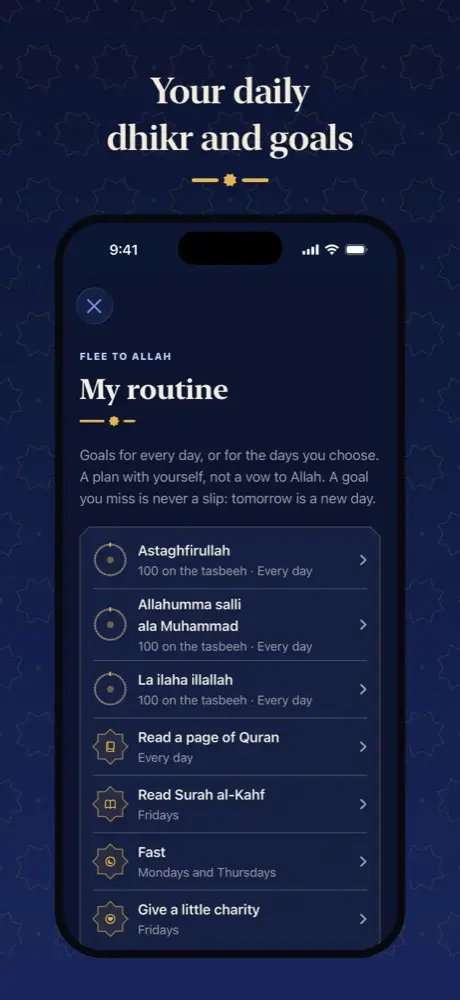
My routine: daily dhikr, a page of Quran, a fast and a little charity

II

Your routine

Set the goals you keep every day, or on the days you choose: dhikr counted on the tasbeeh, a page of Quran, charity, a fast when it is right for you.

Each morning, today's goals are waiting on Home.

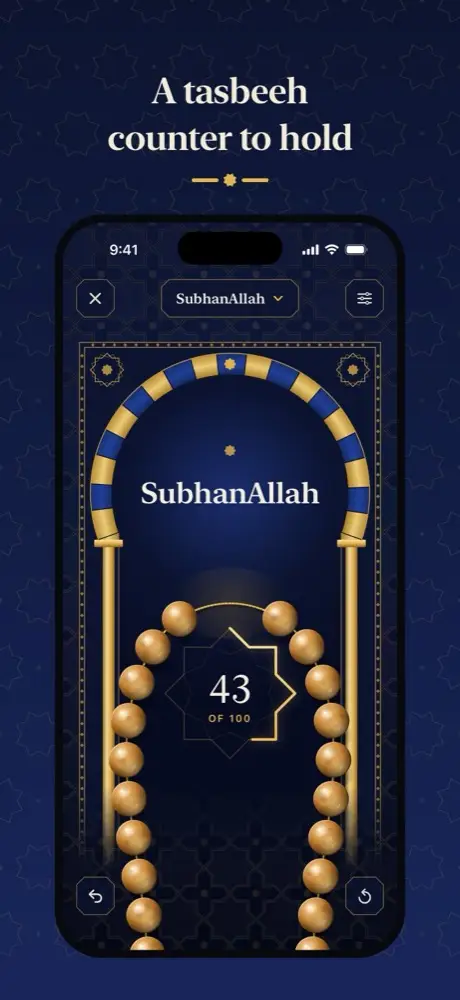
The tasbeeh: gold beads on a cord under a lapis arch, counting SubhanAllah

III

A tasbeeh to hold

Polished beads on a twisted silk cord that feels real under your thumb, with soft knocks you can turn off.

Count SubhanAllah, Alhamdulillah, Allahu Akbar, Astaghfirullah and La ilaha illallah, to a target of your own.

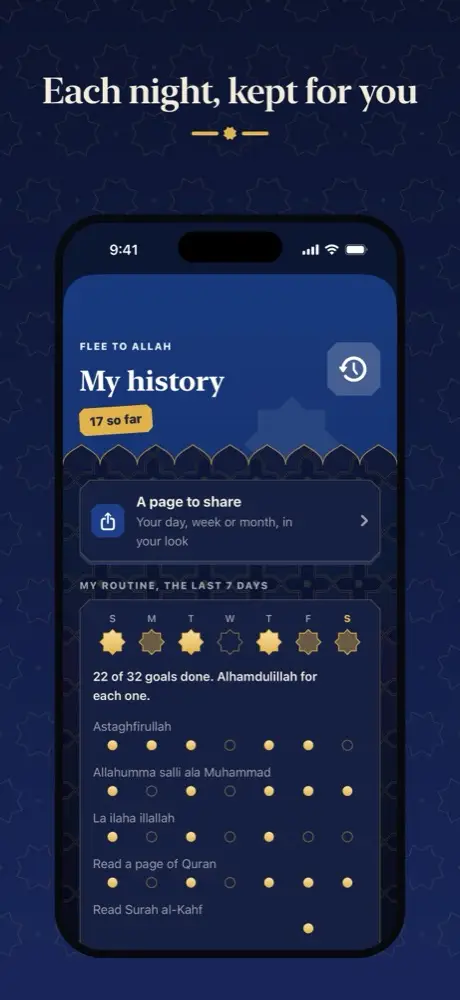
My history: your routine over the last seven days

IV

Your history

Every good habit kept, every good deed done, and each night's account, day by day, kept on your iPhone.

This week shows your nights, your routine and your gratitude together, with no scores.

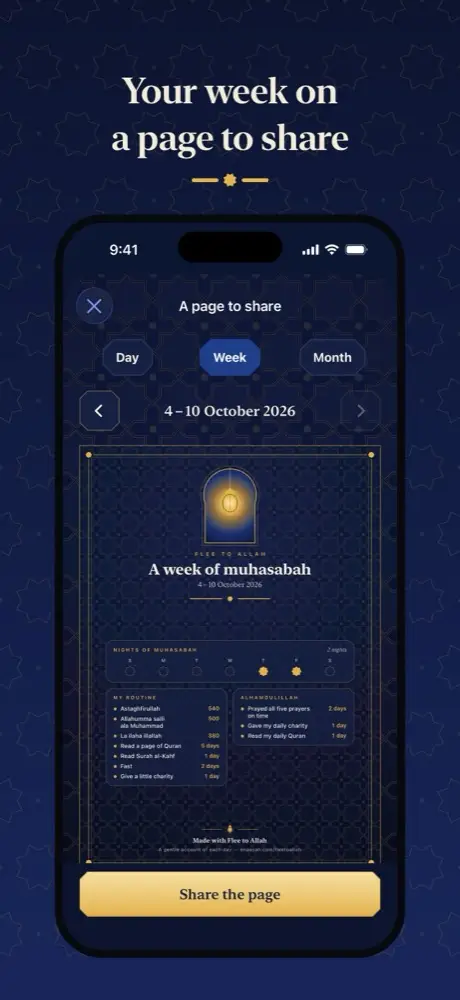
A page to share: a week of muhasabah on one page

V

A page to share

Make a page of your day, your week or your month in your own look: the nights you kept, your routine and the good you kept.

Your lines of gratitude, and where you fell short, only if you choose. No name is ever on it.

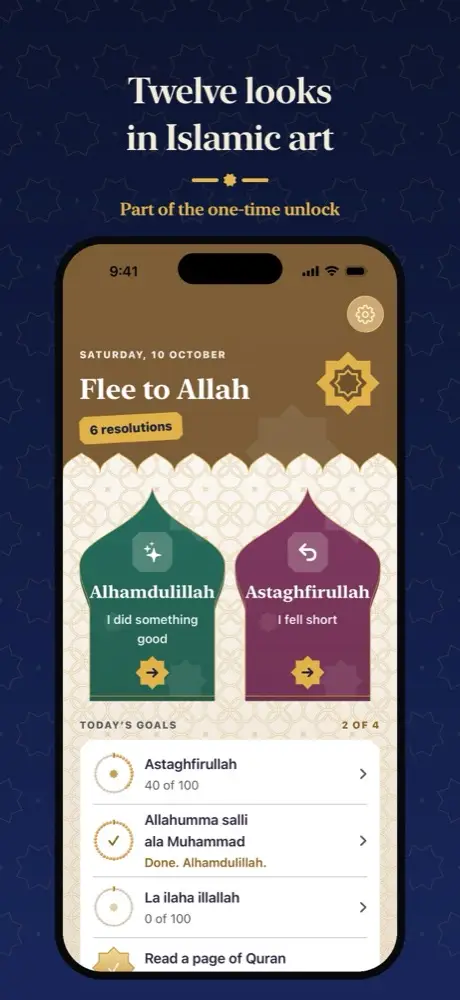
Home in a warm gold look, with Alhamdulillah and Astaghfirullah arches

VI

Twelve looks

Each with its own pattern, arch and colours. Alhambra's lapis and Fez's emerald are free. Ten more come with the unlock.

  • Alhambra
  • Fez
  • Isfahan
  • Iznik
  • Agra
  • Pearl
  • Rose
  • Lilac
  • Cairo
  • Marrakesh
  • Samarkand
  • Topkapi
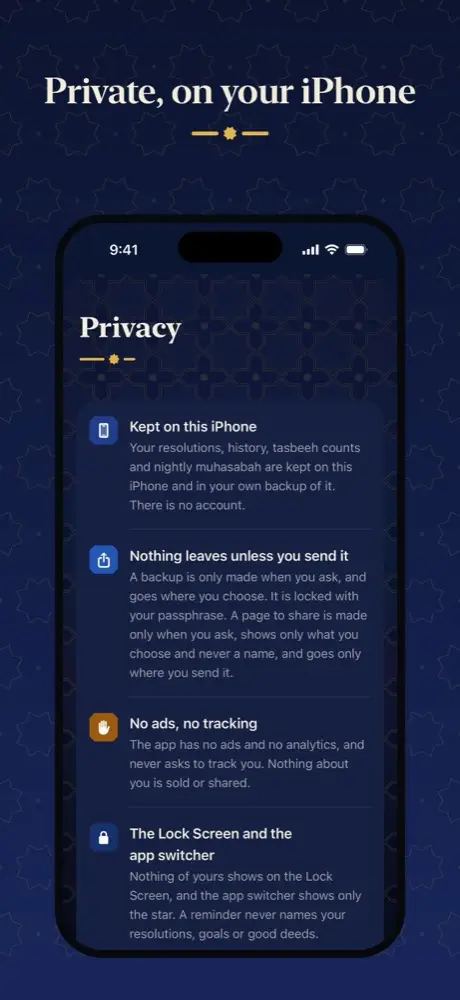
Privacy: kept on this iPhone, nothing leaves unless you send it, no ads, no tracking

VII

Private by design

No account and no sign-in. Everything stays on your device and in a backup you make and lock yourself.

No ads, no tracking, and nothing leaves your device unless you send it. The app switcher shows only a star, and nothing of yours appears on the Lock Screen.

Read the privacy policy

Quick ways in

Ask Siri for "Alhamdulillah", "Astaghfirullah", the tasbeeh or tonight's muhasabah, or put one on the Action Button.

One payment

Almost everything is free. One unlock adds ten more looks, This week and a few extras. Pay once and keep it. No subscription.

No texts quoted

Inside, the app quotes no religious texts and promises no reward: only the common phrases, in English letters.


Support

Questions

How do I start?

Tap "Make a resolution" on Home. Choose a ready-made one or write your own, keep the good deeds that feel right, and tap In sha Allah. It is a plan with yourself, not a vow.

What happens when I fall short?

Tap "Astaghfirullah - I fell short", choose the resolution, then choose a good deed from your list. Something that is not on your list yet can be kept to come back to; tonight's muhasabah will offer to make it a resolution or let it go.

What is tonight's muhasabah?

A few quiet minutes each night: mark each resolution, think on where you fell short and anyone to put things right with, and write up to three things you are grateful for. Each night is kept in your History.

How do I set a routine?

Settings › My resolutions › My routine. Add the goals you keep each day, or on the days you choose. Each morning they are on Home as Today's goals.

Can I share how my week went?

Yes, if you want to. In My history, tap A page to share, choose a day, a week or a month, and choose what it shows: your routine is on, and your lines of gratitude and where you fell short are off until you switch them on. Your name is never on it. Tap Share the page and send it wherever you like.

My reminders don't arrive.

Check iPhone Settings › Notifications › Flee to Allah, and that the reminder is on in Flee to Allah (Settings › Reminders for tonight's muhasabah, My routine for the morning).

How do I move to a new phone?

Settings › Backups and your data › Make an encrypted backup, choose a passphrase, and save the file somewhere you can reach from the new phone (for example iCloud Drive). On the new phone, choose Restore a backup when you first open Flee to Allah (or Restore from a backup in the same Settings page).

I bought the unlock. How do I get it back?

Open the unlock page and tap Restore purchase, signed in with the same Apple Account.

How do I delete everything?

Settings › Backups and your data › Delete everything. Deleting the app does the same.

Where does the name come from? Does the app quote verses or hadith?

The name is the English of a short phrase in the Quran: turning back to Allah, which is what a daily muhasabah is for. Inside, the app quotes no verses or hadith. It uses only common phrases (Bismillah, Alhamdulillah, SubhanAllah, Astaghfirullah, Allahu Akbar, La ilaha illallah, In sha Allah and the salawat), in English letters, and promises no reward.

Write to us

Something not working, or an idea? Write and we will reply by email.

contact@enaayah.com

In the app, Help and feedback opens this email for you, with your app and iOS version at the end so we can help.